Your money is
nobody's business
but yours.
A money tracker for iPhone that you fill in yourself. No bank login, no account, no ads, no tracking. Your records stay on your device unless you turn on iCloud Backup or PATCH.
 Free · iPhone · iOS 17+ · no account to create
What leaves your device.
Most finance apps are surveillance wearing a friendly logo. They sync your spending to a server, mine it for "insights," and sell the patterns. DollarGuard does the opposite.
DollarGuard is local-first. Your transactions are stored on your device, and only two features ever send them anywhere — both off until you turn them on: the PATCH assistant (your question and the figures it needs go to OpenAI through our server) and a daily backup to your own iCloud Drive.
It works on a plane, and goes online only to check your App Store purchases, to save your backup if you turn on iCloud Backup, and when you ask PATCH a question.
> status: local-first · verify it: read the full privacy policy — it's short, and it's honest.
// system privacy readout
Made for entering it yourself.
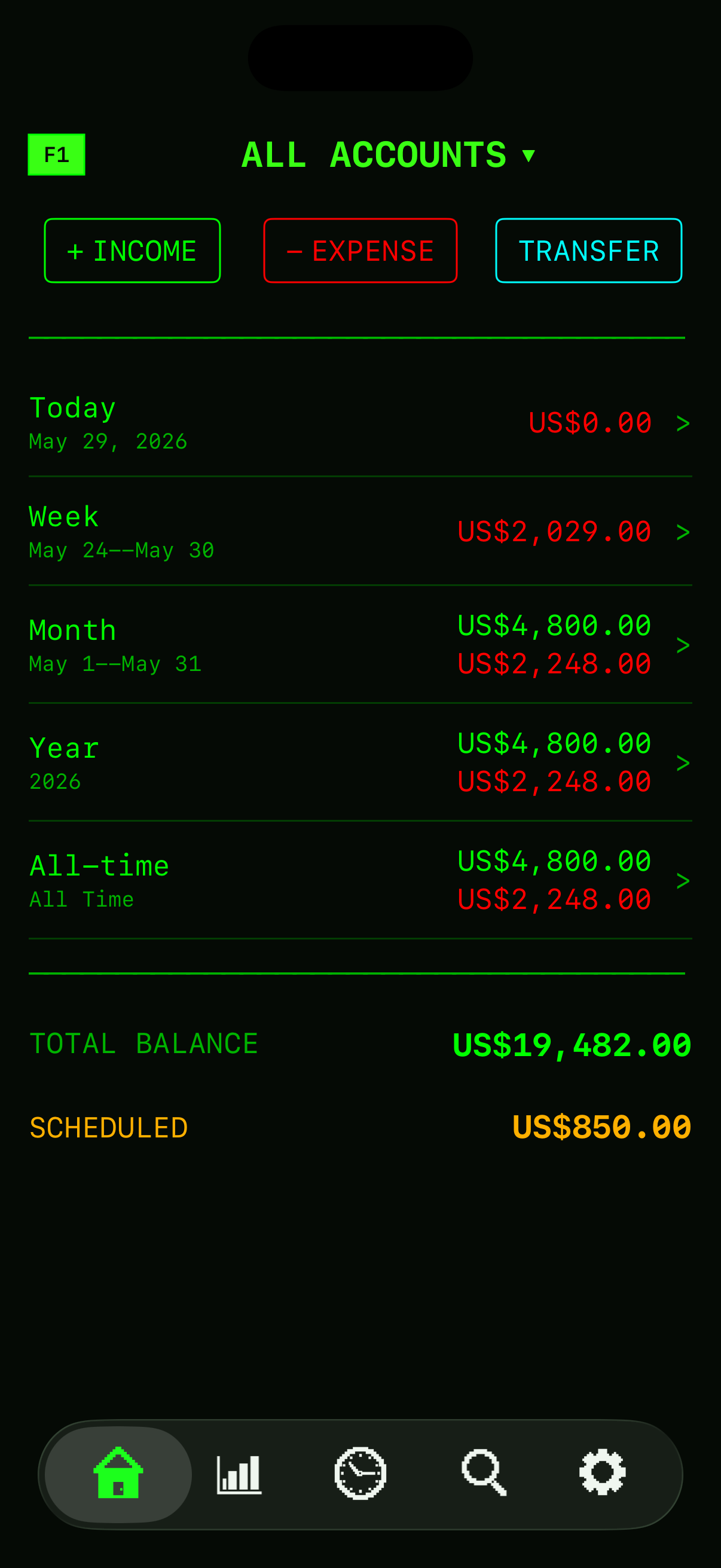
No bank feed means you type each entry, so DollarGuard keeps that part short. Spending is home base: tap a time period and you drop straight into reports — one connected tree, never a maze.
- QUICK ADD starts a new entry from a recent one
- Each payee remembers the account you used last time
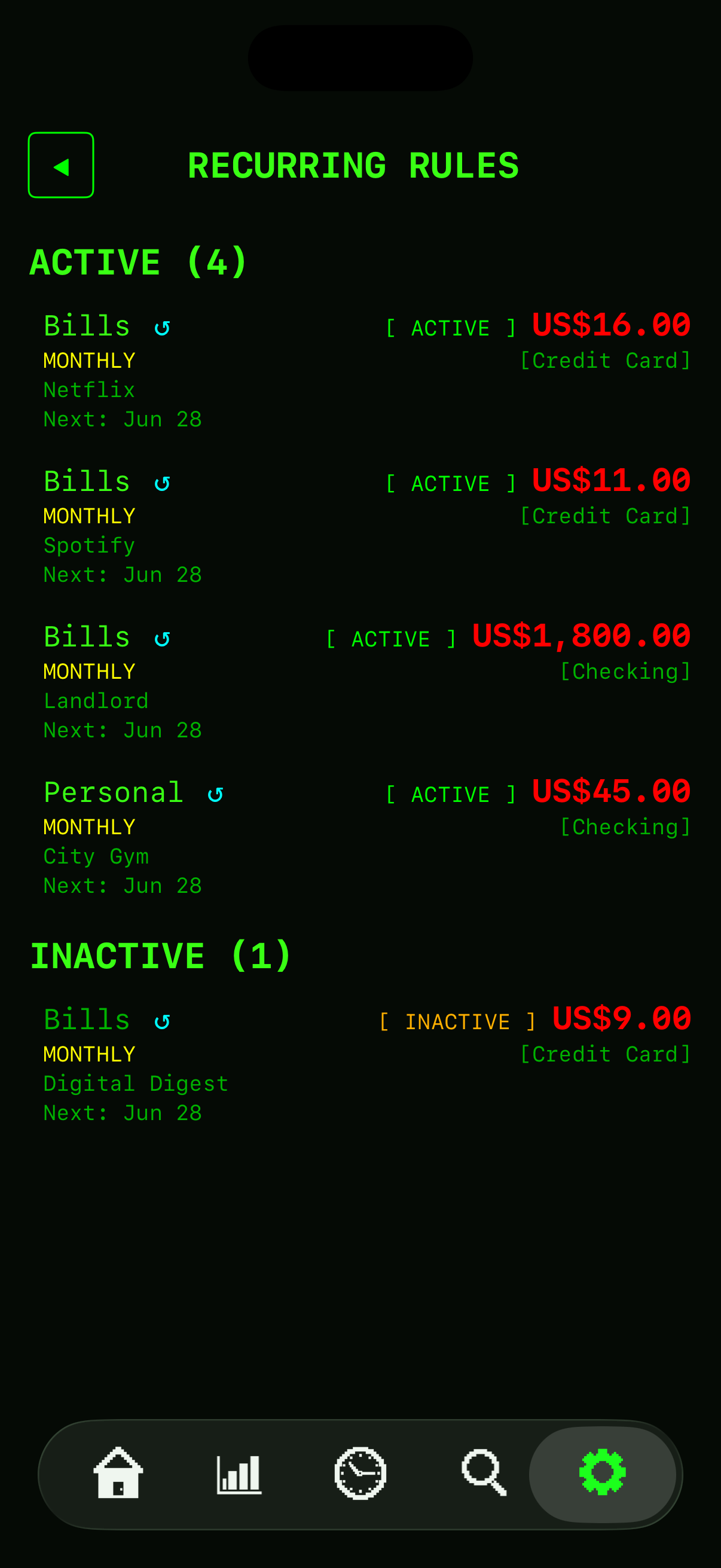
- Recurring rules enter your bills and pay for you, on schedule
- Bring your history: import from CSV, QIF or OFX
- Income, expenses, transfers and credit card payments
- Checking, savings, credit cards, cash, and any other account you name
- Zero-dollar and negative entries supported — for covered meds, refunds, and withholdings
Insight without the pie charts.
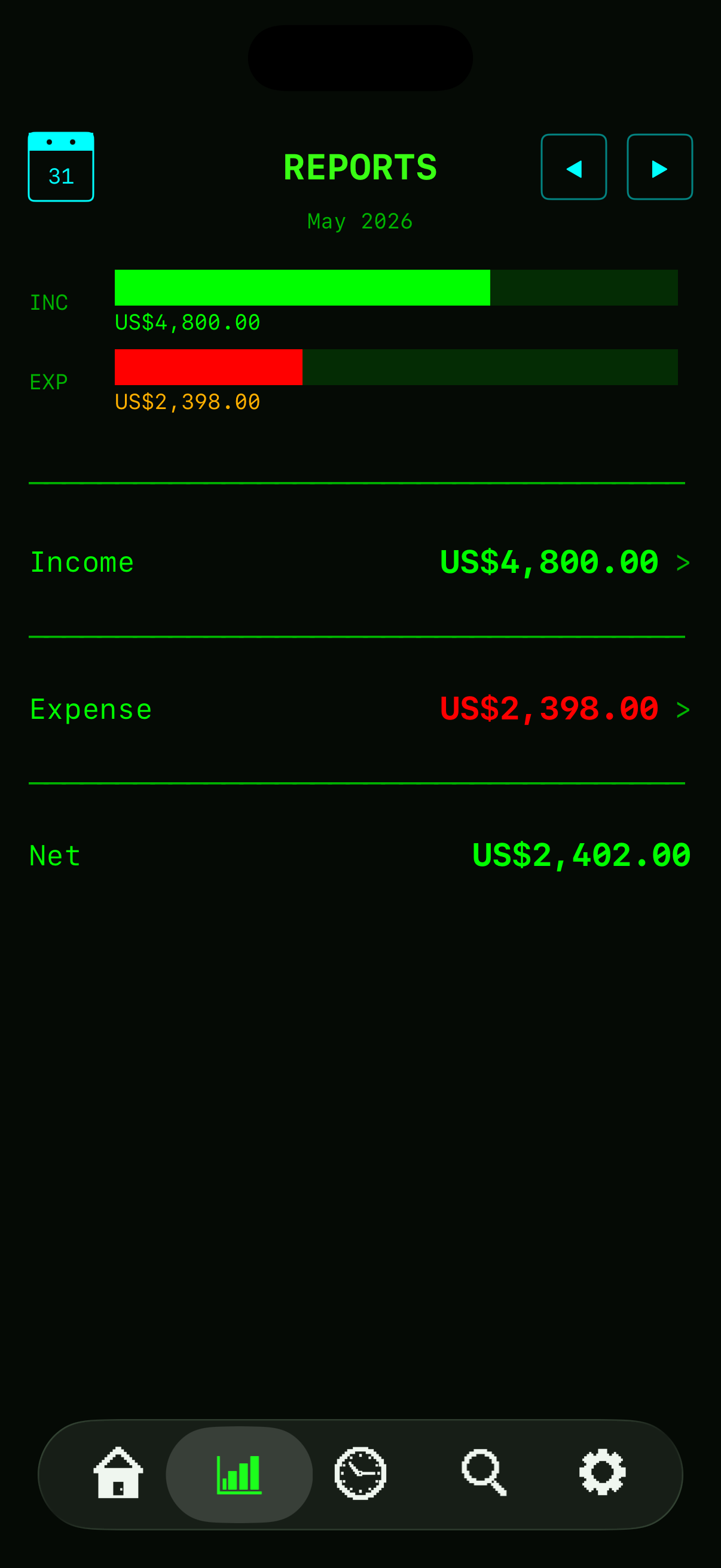
DollarGuard draws every chart in ASCII — bars built from solid blocks, the way a terminal would. Break spending down by category, payee, or date. Drill from a year to a single transaction and back, with a back button at every level.
- Category, payee/payer, and date breakdowns
- Each category and payee shown as a share of the total
- Multi-currency aware — currencies are never added together
- "Net," not "Balance" — income minus expenses, stated plainly
- Search your whole history — match any part of a payee name, or filter by amount, date and type
Talk to your ledger.
PATCH — Personal Assistant for Tracking Cash and History — is an optional assistant that reads your numbers and answers in plain language. "What did I spend on food in March?" "Compare this year to last." It lives behind the green F1 button and only works when you switch it on. When you ask, your question and the figures it needs go to OpenAI through our server — and PATCH can suggest an entry, but nothing is saved until you tap APPLY.
- Behavioral patterns: "What do I tend to buy on weekends?"
- Month and year summaries, comparisons, and category drill-downs
- Fully optional — off by default, and clearly disclosed when enabled
- AI can be wrong — PATCH is not financial advice
> tap a question — watch PATCH answer (sample data) →
Free to start. Pay once for Pro.
Subscribe only if you want the AI.
The tracker runs on your phone, so it doesn't cost us anything to keep running — that's why Pro is a one-time purchase. PATCH is the only part with a running cost (the AI), so it's the only part that's a subscription. They're separate: Pro doesn't include PATCH, and you don't need Pro to use PATCH.
- 2 accounts, every core feature
- Income, expenses, transfers & card payments
- Recurring rules, reports & search
- Multi-currency
- Import (CSV, QIF, OFX) & CSV export
- Passcode / Face ID lock
- Try PATCH: 10 questions on us
- Everything in Free
- No account limit
- Launch price until January 31, 2027 — then $19.99
- Upgrade inside the app
- First month free for new subscribers
- Up to 300 questions a month (fair use); the limit may change at renewal
- Ask your own history anything — no bank login, ever
- Works with Free or Pro
- Off by default — you switch it on inside the app
Free download · Pro and PATCH are optional in-app purchases
Launch prices in US dollars. In Canada the App Store charges CA$: Pro CA$19.99 at launch, PATCH CA$4.99/month or CA$39.99/year. The App Store always shows your local price before you pay.
Before you download.
Isn't typing everything in a chore?
Does anything leave my device?
What if I lose my phone?
Is there a subscription?
Can I take my data with me?
> more answers: read the support FAQ
Take your money back.
DollarGuard is on the App Store now. Start free, and run your finances on a tool that answers only to you.
Free · iPhone · iOS 17+ · no account to create